


Snapseed
3.620.50K Reviews
App Specs
- Version
- Varies with Device
- Updated On
- License
- Free
- Downloads
- 100,000,000+
- Developer
- Google LLC
- Categories
- Photography
- Platform
- Android, iOS
Screenshots
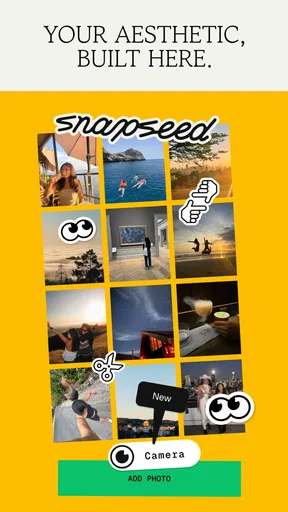
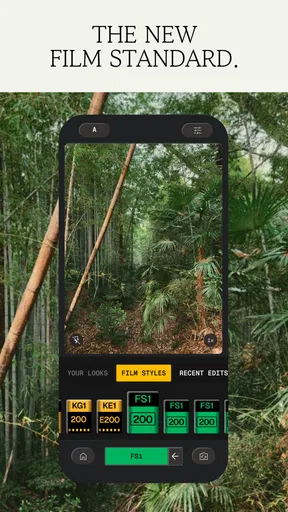
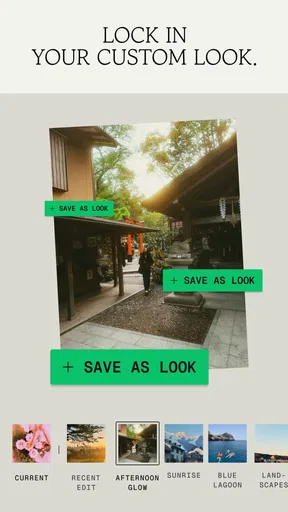
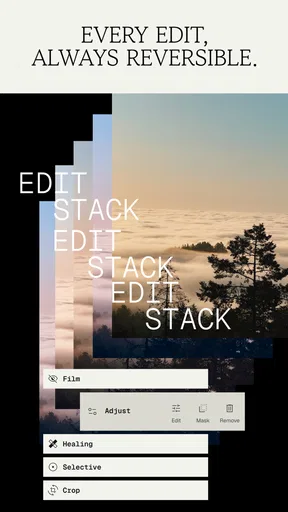
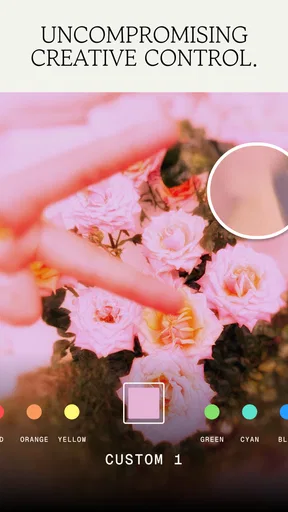
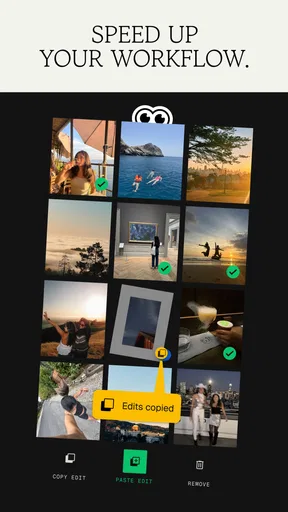
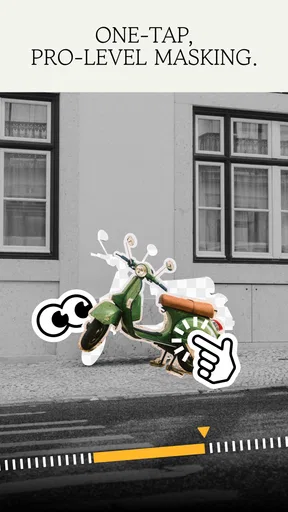
 Analysis by AppCompare
I judge a photo editor partly by what happens before I touch a slider: can I find the right picture, understand where the tools live, and recover from an experiment that goes wrong? Snapseed makes that first step unusually direct. It is a free photography app from Google LLC, with an Everyone age rating, and its simple opening screen gets me into an image without asking me to learn a complicated workspace first.
Readability and navigation
The interface is built around the photograph rather than rows of menus, which helps keep the editing area clear. I can open a picture, choose a tool, make a change, and inspect the result without juggling several panels. That simplicity is welcoming, though it does not mean every tool is self-explanatory: some controls take a little experimenting before their effect becomes obvious.
Snapseed has been available since December 6, 2012, and it remains a familiar option in a crowded mobile-editing category. Its average rating is 3.7 from around 1.7 million ratings, with about 20,000 written reviews and over 100 million installs. Those figures suggest a widely used editor, but they are not a substitute for deciding whether its hands-on workflow suits you.
Motor and sensory considerations
Most adjustments involve choosing a tool and making gestures directly on the image. That can feel natural when I want to make a quick correction, but it may be less comfortable for someone who finds precise touch movements difficult. Small changes are easier when I slow down, zoom in where appropriate, and check the image at normal size before saving.
The strong visual focus is useful when I am comparing before and after, but a busy image can make subtle edits hard to judge. I try not to make a long chain of changes based only on a zoomed-in detail: a portrait may look polished close up and overly smooth when viewed as a whole. Pausing to inspect the full frame is a simple way to catch that.
Situational access
Snapseed is handy when I am away from a computer and want to improve one photo before sending it to someone. A modest brightness correction, a crop, or a restrained color adjustment can be enough to make an image clearer without turning the task into a full editing session. I would still do detailed work at a larger screen if accuracy mattered more than convenience.
It can also help when the lighting in a quick phone photo is uneven. I might lift a shadowed area or correct the overall color, then compare the result with the original so the scene still looks believable. The main benefit is having several kinds of adjustments in one mobile app; the trade-off is that careful editing still takes attention and a steady hand.
Worth Reading Before You Choose

Flipboard Shows What News Apps Must Do Beyond the Feed

Switching to Android Auto Means Rethinking Your Driving Routine

Google Calendar Makes a Crowded Week Easier to Manage

Ludo King Makes the Most of the Minutes Between Plans

Baby Panda World Brings Quick Play to Modern Phones, but Its Game Library Feels Busy

ESPN’s Live Game View Makes Following Close Games Easier
Remaining barriers
There is a learning curve beneath the uncluttered first impression. A beginner can make a basic improvement quickly, yet more selective or tonal adjustments call for trial and error. On older devices, some tools may lag, which interrupts the otherwise immediate feel. If your priority is applying one preset and moving on, a simpler editor may be less demanding.
It is also worth choosing the app based on the job, not on the idea that one editor should cover every need. Snapseed is strongest when I want to shape a single image with more control than a basic filter offers. For a large batch of pictures, a workflow built around organizing and synchronizing edits may be more convenient; for detailed work, a desktop editor gives me a bigger view and more room to inspect fine changes.
An inclusive verdict
I see Snapseed as a useful choice for people who want meaningful control on a phone and are comfortable exploring visual tools. Its low-friction entry point helps, but no editor can make every gesture equally easy for every person or setting. If you edit in a hurry, have difficulty with touch precision, or need a highly simplified process, test a small, unimportant photo first and see how the controls feel before committing to a longer session.
For everyday edits, my advice is to start with one goal—such as correcting exposure or removing a tiny distraction—rather than changing everything at once. That keeps the process easier to follow and makes it simpler to spot when a result has gone too far. I would choose Snapseed when I want a capable mobile editor without paying for the app, while keeping a different tool in mind for batch work or meticulous desktop-level finishing.
So, there's this app called Snapseed that I've been playing around with, and let me tell you, it's like having a mini Photoshop right in your pocket. If you're into photo editing or even if you're just looking to spruce up your Instagram feed, this app might just be your new best friend.
Getting Started with Snapseed
First things first, downloading Snapseed is a breeze. It's available for both Android and iOS, and the best part? It's free! Once you open the app, you're greeted with a clean and straightforward interface. No clutter, no fuss. Just tap anywhere to open a photo, and you're off to the races.
Diving into the Features
Now, let's talk features. Snapseed offers a treasure trove of tools and filters. You've got your basic adjustments like brightness, contrast, and saturation, but it doesn't stop there. The app also boasts more advanced tools like curves, white balance, and even selective adjustments, which let you tweak certain areas of your photo without affecting the whole thing. Pretty neat, right?
One of my personal favorites is the "Healing" tool. Ever taken the perfect photo only to find an annoying blemish or stray object? With a few taps, the Healing tool makes these disappear like magic. It's like having a little wizard in your phone.
Filters and Looks
If you're a fan of filters, Snapseed has got you covered. From vintage styles to modern looks, there's something for everyone. And if you're feeling creative, you can even stack filters to create your own custom look. Plus, the "Looks" feature lets you save your favorite edits, so you can apply them to new photos with just a tap.
User Experience
Overall, the user experience with Snapseed is pretty seamless. The app is intuitive enough for beginners but packs enough punch for more seasoned editors. You get a lot of power without the complexity that often comes with professional editing software.
One thing I did notice is that while the app is mostly smooth, certain tools can lag a bit on older devices. It's not a deal-breaker, but something to be aware of if you're not on the latest hardware.
Sharing Your Masterpieces
Once you've edited your photo to perfection, sharing it is as easy as pie. Snapseed offers direct sharing options to major social media platforms, or you can simply save it to your gallery. The app maintains the quality of your edits, so you don't have to worry about losing detail when you export your photo.
Final Thoughts
In conclusion, Snapseed is a fantastic app for anyone looking to elevate their photo game. Whether you're a casual snapper or a professional photographer, this app offers a robust set of tools that cater to all skill levels. It's powerful, user-friendly, and best of all, free! So why not give it a whirl and see what kind of masterpieces you can create?
In the ever-growing world of mobile photography, Snapseed stands out as a must-have tool in any photographer's arsenal. Happy editing!
Pros
- Comprehensive editing tools for all levels.
- User-friendly interface with intuitive controls.
- Supports RAW files for professional editing.
- No ads or in-app purchases; completely free.
- Offers a wide range of filters and effects.
Cons
- Limited export options for file formats.
- No direct social media sharing features.
- Lacks advanced layering capabilities.
- Bigger learning curve for beginners.
- Occasional performance lags on older devices.
FAQs for Snapseed
What is Snapseed, and who is it best suited for?
Snapseed is a professional photo editing app developed by Google, available for both Android and iOS devices. It caters to both amateur photographers and professionals due to its wide range of features, including advanced editing tools and filters. The app is ideal for users looking for a free yet comprehensive photo editing solution on their mobile devices.
What are the key features of Snapseed?
Snapseed offers a variety of powerful features, including 29 editing tools and filters such as Healing, Brush, Structure, HDR, and Perspective. It supports both JPEG and RAW file formats. Users can also utilize its selective edit feature to enhance specific areas of an image, providing precise control over the final output.
Is Snapseed user-friendly for beginners?
Snapseed is designed with an intuitive interface, making it accessible for beginners. The app offers a straightforward navigation experience, allowing users to easily apply filters and make adjustments. However, some advanced features may require a bit of exploration and experimentation to fully understand, making it a rewarding tool for those willing to learn.
Does Snapseed require an internet connection to work?
Snapseed primarily operates offline, which means users can edit their photos without an internet connection. This is particularly convenient for users who are on the go or in areas with limited connectivity. However, an internet connection is necessary for downloading the app or accessing additional resources and updates.
Are there any drawbacks to using Snapseed?
While Snapseed is a robust and versatile photo editing app, it has a few limitations. Some users might find the lack of integration with other apps or cloud storage slightly inconvenient. Additionally, while the app is free, it doesn't offer in-app tutorials, which could be a drawback for users who prefer guided learning experiences.


